Effective weekly OKRs
-
Effective weekly OKR
Action items to drive an effective weekly OKR review
The Process
Expected behaviour?
As a OKR champion, use action items to track the overall progress of the OKRs and also drive an effective weekly OKR review.
OKR champion drives the weekly OKR review with the leadership team and the owners of the respective objectives in the organisation. There are tasks assigned to the owner during the OKR review and over the course of the week leading to the next OKR review.
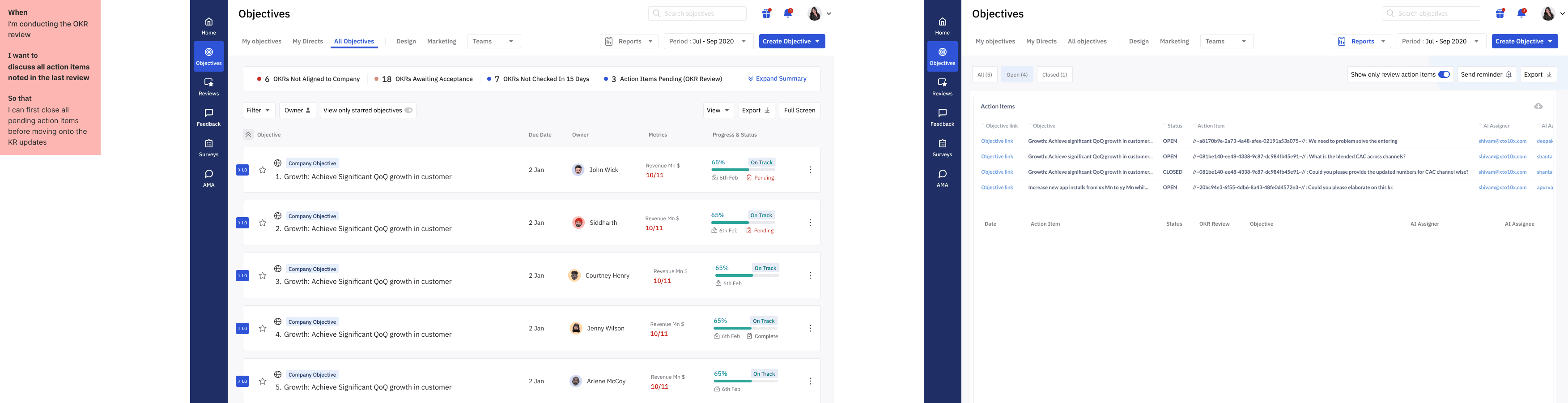
The OKR champion needs to drive the discussion and also ensure all the action items (tasks) assigned during the previous review are completed and also understand the reason why certain action items are not completed.
Responsibilities of the OKR champion during the weekly OKR review
The OKR champion uses a visual dashboard to display the progress of each OKR.
OKR owners of each Objective are accountable for its progress.
The status of each OKR (red, yellow, green) are to be updated by the OKR owner 24-48hrs prior to the next weekly review.
The OKR owner is expected to provide a brief overview of the previous week's progress and discuss any challenges faced during the weekly OKR review.
The OKR champion encourages team members to share their accomplishments and challenges towards achieving their OKRs.
The champion then sets specific action items for team members to complete in the upcoming week.
Use a structured agenda to ensure that all OKRs are reviewed and discussed.
Use a collaborative tool to capture notes and action items during the meeting.
Celebrate successes and acknowledge effort put in by the team members.
Make sure to discuss the progress of all OKRs and prioritise the ones that need more attention.
Discuss any roadblocks or obstacles that may be hindering the progress of the OKRs.
Record the minutes of the meeting and share them with the team members.
User journey map
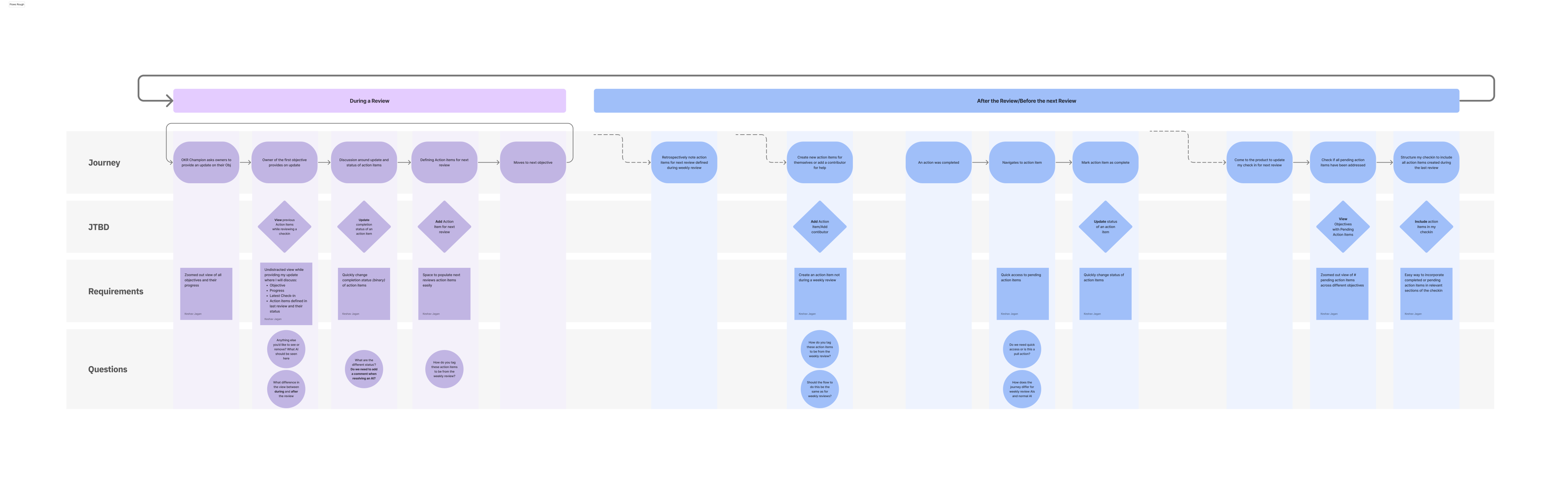
A user journey map is a visual representation of the steps that a user takes to complete a task or achieve a goal while using a product or service. It helps to identify pain points and areas for improvement in the user experience.
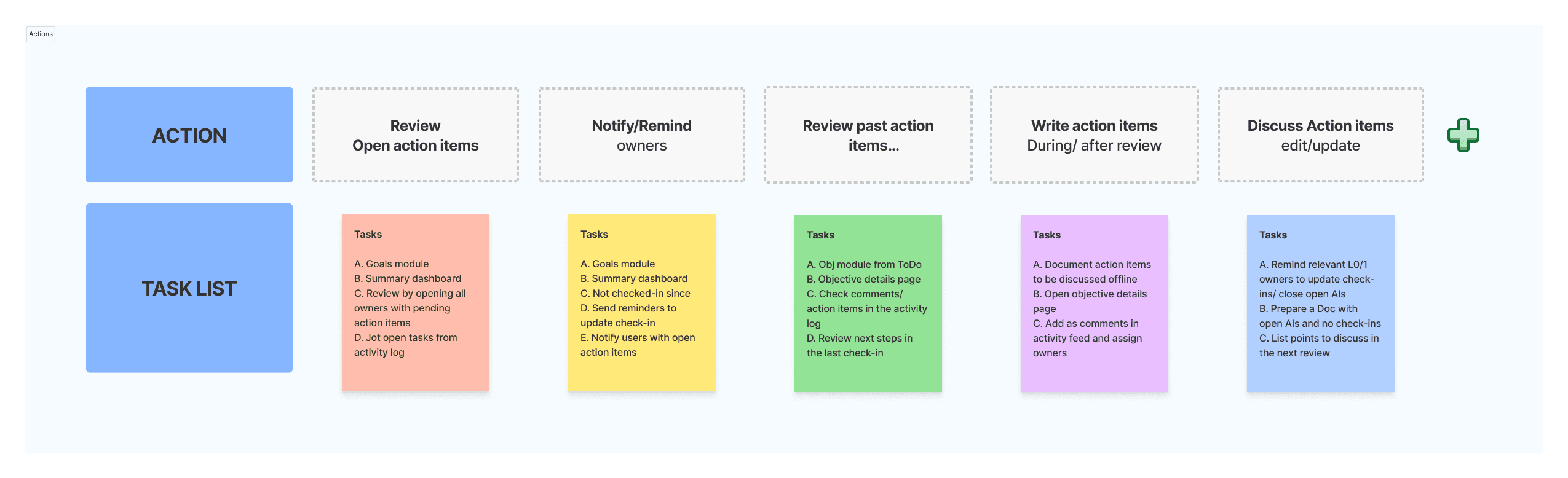
💡 We tried to break the different stages of writing an action item and understand the pain points in each step. We also then documented the edge cases and open questions we had during this exercise. This helped in aligning our decisions as the design team with the PMs involved in the feature development.
Initial ideations
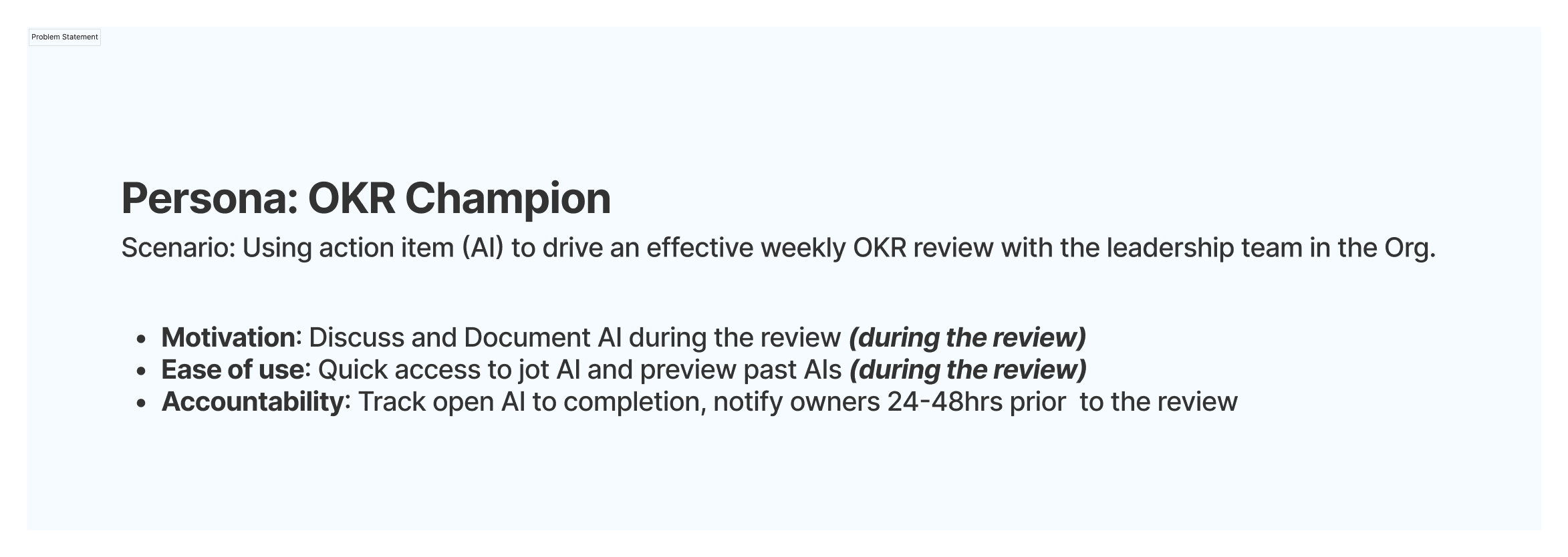
The problem statements we were trying to address while designing the action items was to motivate the user to write action items by improving the ease of use which would then in turn promote accountability on completing these action items.
Adding a action item icon acted as a visual cue if there were pending action items for an objective. Users now didn’t have to dig deep and find pending action items in the details page of an objective.

On Hover, users could quickly differentiate the action items created for a review and those created by the owners and contributors of an objective using the primary tabs (All and Review action items)
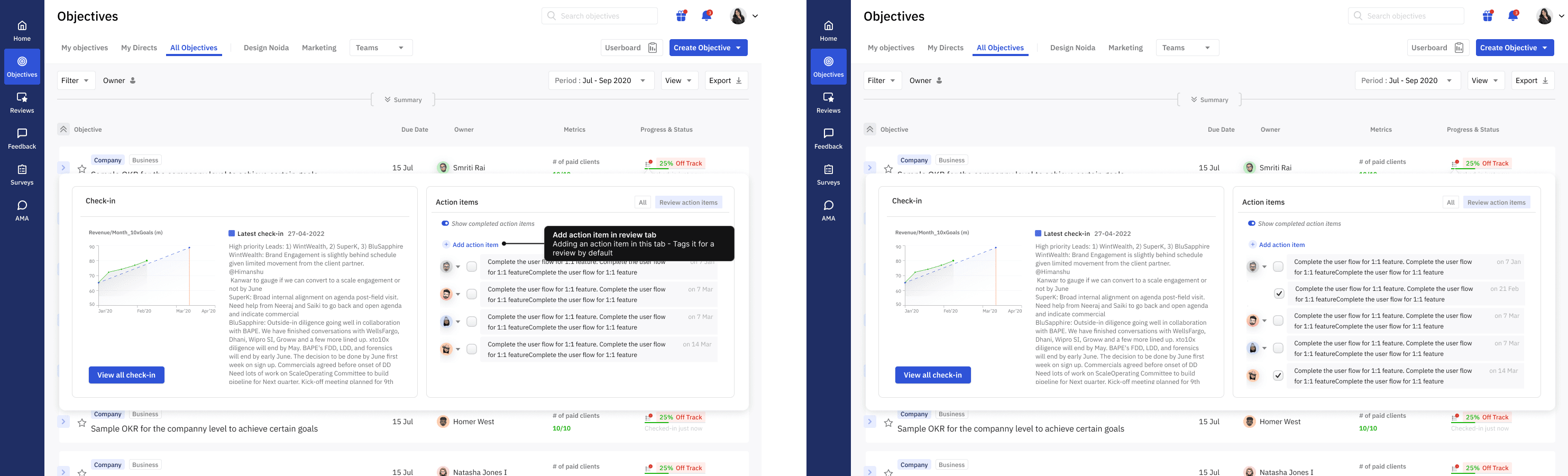
All action items tab: proposed a timeline view of all action items created for an objective based on the creation date.
All action items tab: proposed a timeline view of all action items created for an objective based on the creation date.
Review only tab: Here the main focus was to draw user’s attention towards all the pending action items for the next review.
Changes in the current flow
The current layout used for the Details page of an objective had to be updated to now include the action items.

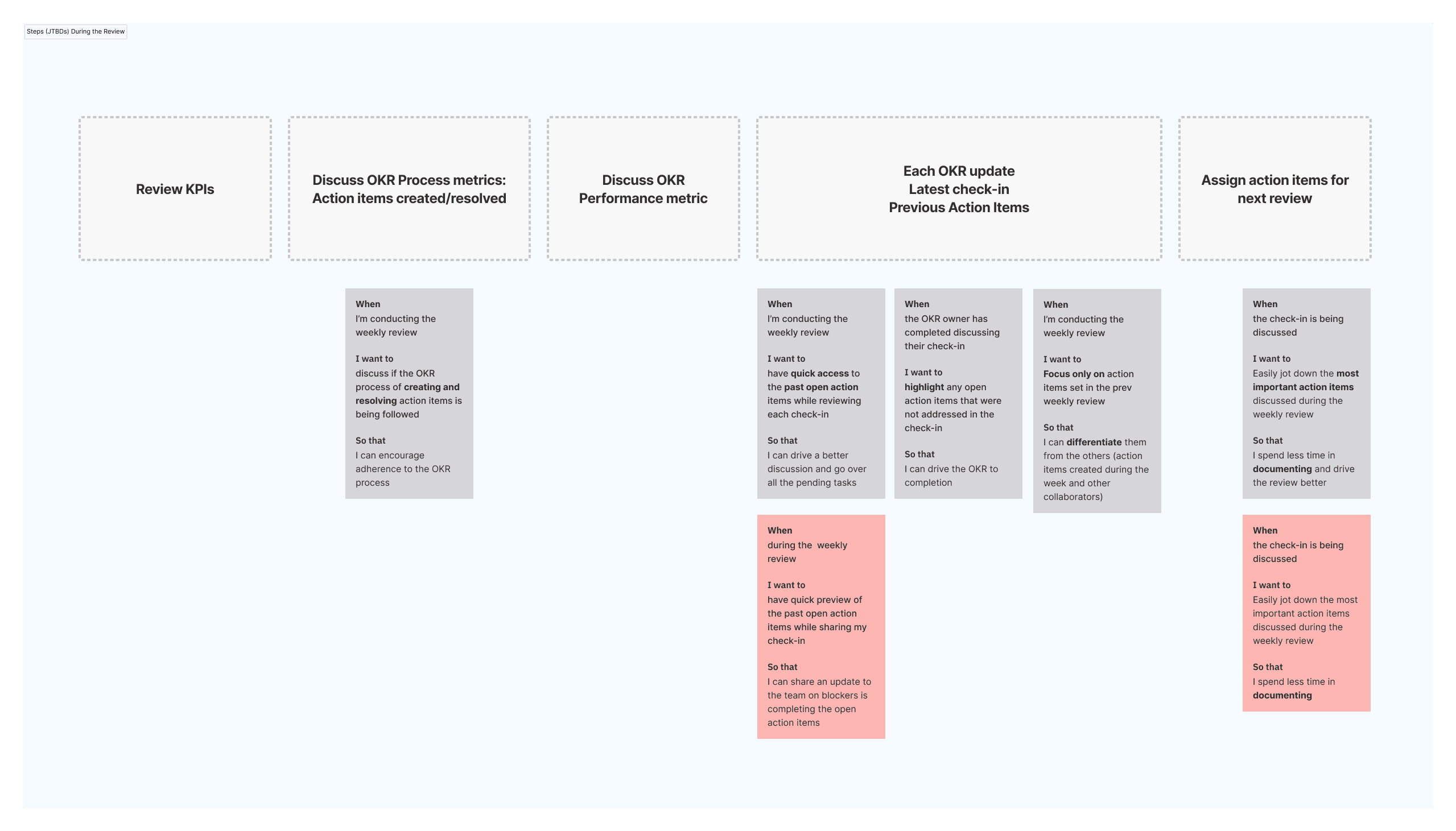
Jobs to be done by the OKR champion during a weekly OKR review.
During a weekly OKR review, the OKR champion should report on the progress of each Key Result, highlighting any blockers or areas where additional support is needed. They should also ensure that any updates to OKRs or Key Results are captured and communicated to relevant stakeholders. Additionally, the OKR champion should facilitate discussion and decision-making around any changes or adjustments that need to be made to the OKRs or Key Results.





The Results
We tried to break the different stages of writing an action item and understand the pain points in each step. We also then documented the edge cases and open questions we had during this exercise. This helped in aligning our decisions as the design team with the PMs involved in the feature development.
The problem statements we were trying to address while designing the action items was to motivate the user to write action items by improving the ease of use which would then in turn promote accountability on completing these action items.
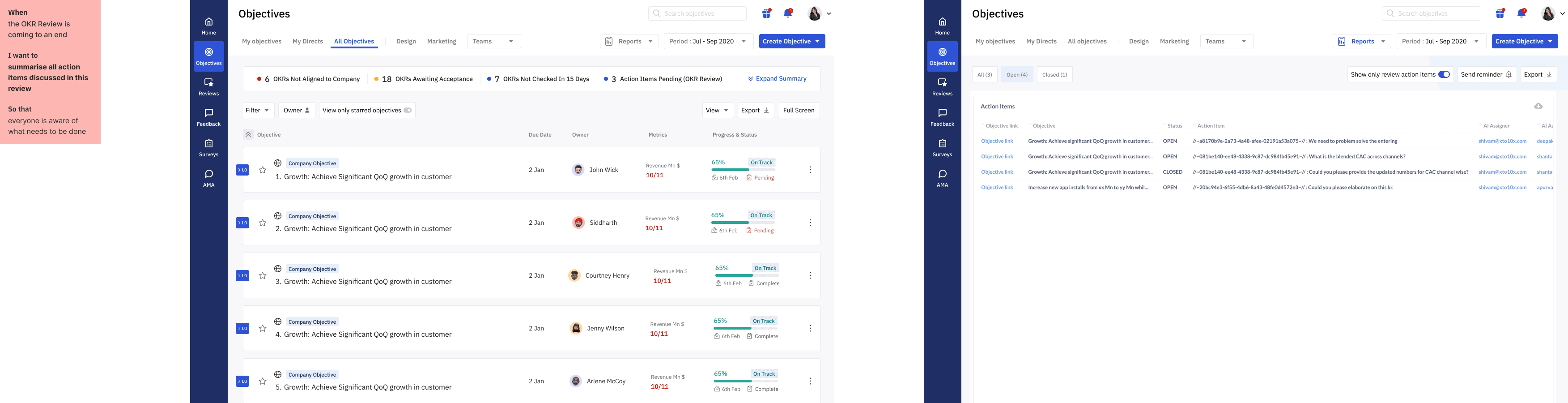
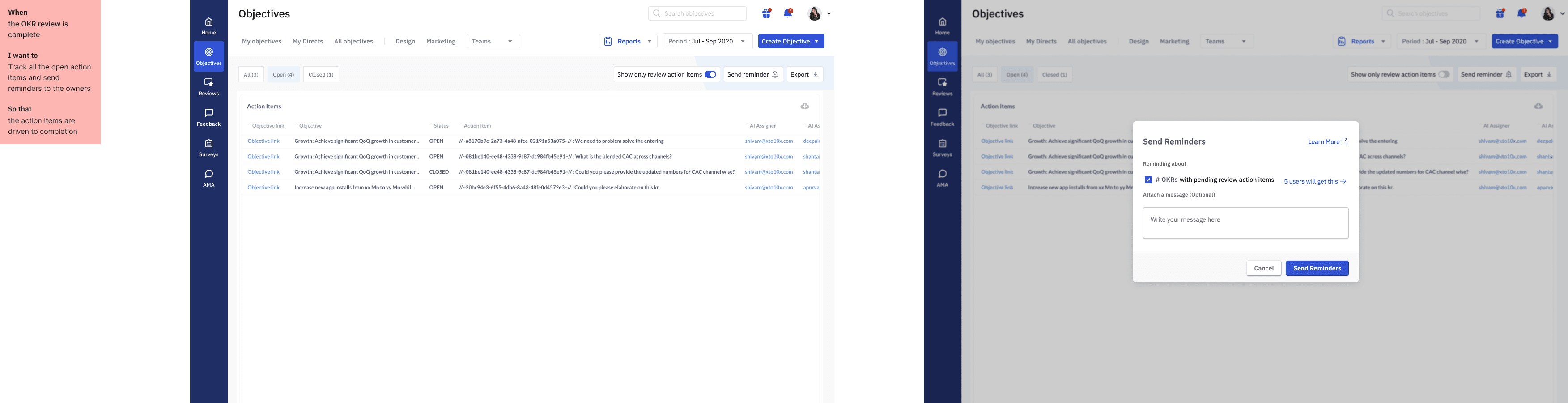
Flows with JTBDs (Jobs to be done) defined during the research phase to understand if the new designs are addressing the problem statements
